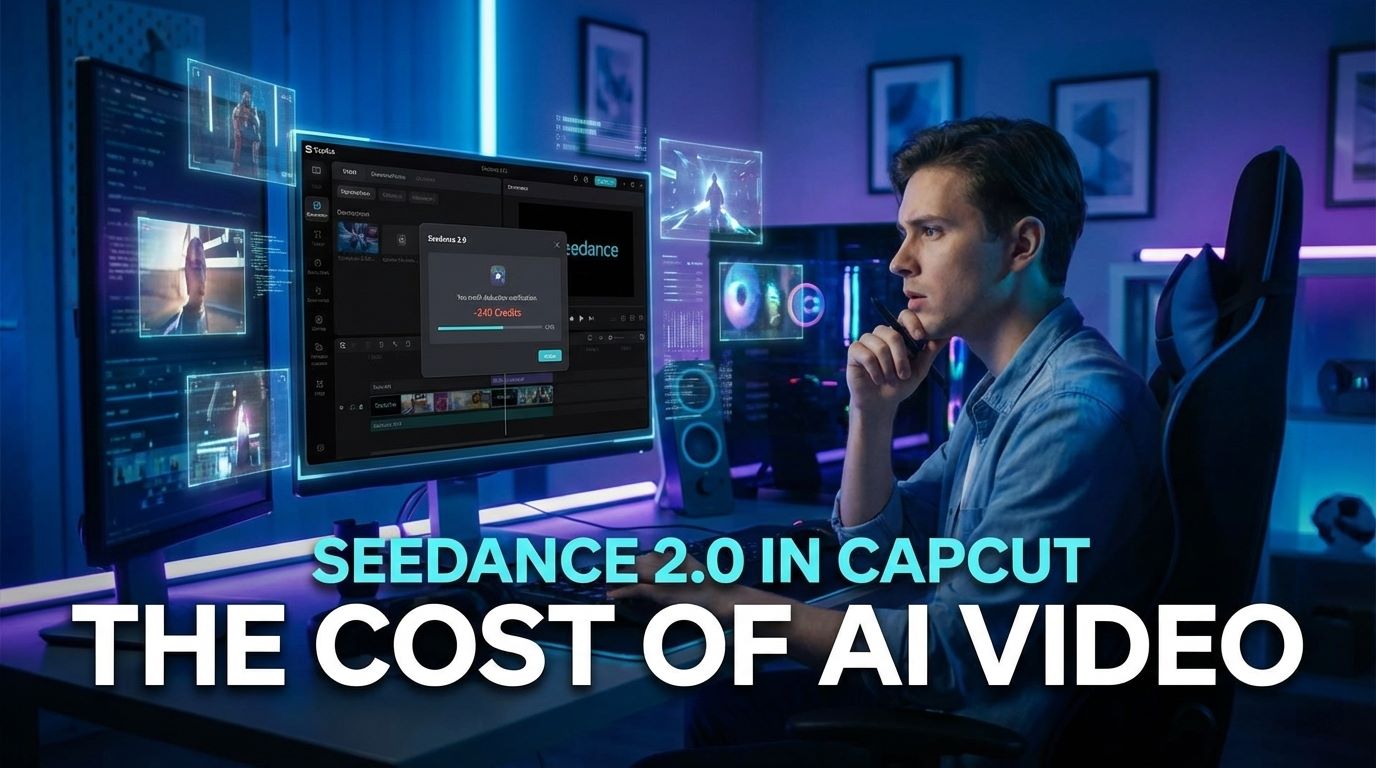

You know that feeling when you wake up, open your laptop, and realize the tool you use every single day just quietly changed everything? That’s exactly what happened this week with CapCut.
While the internet has been busy arguing about Sora 2 and Kling, ByteDance (CapCut’s parent company) just silently dropped Seedance 2.0 into the desktop app. No massive press conference, no flashy keynote—just a new dropdown menu that might just be the best AI video generator we have access to right now.
But here’s the catch: it’s going to cost you. And I mean, really cost you.
I’ve been testing Seedance 2.0 in CapCut to see if the “excellent prompt adherence” is real or just marketing fluff. More importantly, I’ve crunched the numbers on the credit system so you don’t have to burn your wallet finding out. Let’s dig in.
Contents
What is Seedance 2.0?
If you haven’t been glued to AI news for the last two weeks, Seedance 2.0 is ByteDance’s internal generative video model. Think of it as the engine that powers those viral TikTok effects, but now it’s fully unlocked for text-to-video and image-to-video generation.
Unlike previous iterations that felt like weird, morphing fever dreams, Seedance 2.0 claims to solve the biggest headache in AI video: consistency. It’s designed to actually listen to your prompt (novel concept, right?) and keep characters looking like the same person for more than two seconds.
What makes this specific integration in CapCut interesting is that it’s not just a standalone website. It’s baked right into your timeline. You generate, drag, drop, and edit. That workflow friction? Gone.
How to Access It (and The Interface)
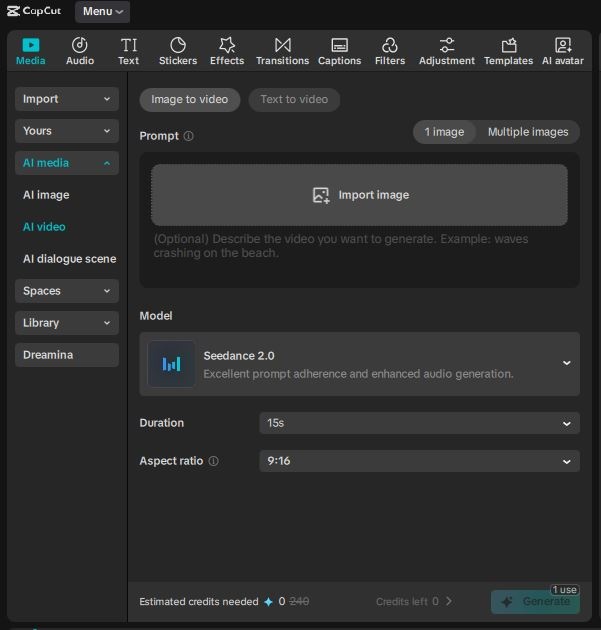
Finding it is easy, but you need to be on the CapCut Desktop version (update if you haven’t recently). It doesn’t seem to be fully rolled out on the web version for everyone yet.
- Open CapCut Desktop.
- Go to the Media tab on the top left.
- Look for “AI video” in the left sidebar.
- Select “Image to video” or “Text to video”.
- In the “Model” dropdown, you should now see Seedance 2.0.
The interface is clean. You get a prompt box, an option to upload a reference image (crucial for control), and a slider for duration. But this is where things get sticky—the credits.
The Cost: It’s Not Cheap
Let’s rip the band-aid off. Quality AI video is expensive to compute, and CapCut is passing that cost directly to us.
Here is the breakdown based on the current rollout:
- Free Users: You get one single generation (up to 15s). That’s it. That’s your “try before you buy.” Use it wisely.
- Paid/Credit Cost: After that first hit, you are paying per second.
Here is the exact pricing math per generation:
| Duration | Credit Cost | Cost Efficiency |
|---|---|---|
| 5 seconds | 80 credits | 16 credits/sec |
| 10 seconds | 160 credits | 16 credits/sec |
| 12 seconds | 192 credits | 16 credits/sec |
| 15 seconds | 240 credits | 16 credits/sec |
My take? This is aggressive pricing. If you are on a standard monthly credit plan, a single 15-second generation costing 240 credits is going to eat through your allowance fast. You can’t just spam the “Generate” button hoping for a lucky accident like we used to do with older AI tools. You have to be deliberate.
Quality Test: Is It Actually Better?
So, is Seedance 2.0 CapCut worth the credits?
I tested it against a few other heavy hitters (like Kling and Luma), and the difference is noticeable in two specific areas:
1. Motion Consistency
Most AI video turns into a terrifying soup if you ask for fast movement. Seedance 2.0 seems to handle “high velocity” prompts much better. If you ask for a car drifting or a person running, the limbs actually stay attached to the body. It’s a low bar, I know, but one that many models trip over.
2. The “TikTok” Aesthetic
Because this is ByteDance, the model feels tuned for social media. The lighting, the color grading—it often comes out looking “ready to post” rather than flat and cinematic. Depending on your needs, this is either a huge pro or a con.
“Honestly, I think most people are doing this completely wrong. They try to generate a full movie scene in one go. Seedance shines when you use it for B-roll—those 5-second clips to fill gaps in your edit.”
How to Prompt Seedance Like a Pro
Since you are paying 16 credits per second, you cannot afford vague prompts. “A dog on a beach” isn’t going to cut it. Here is the formula I’ve found works best for Seedance 2.0 specifically:
[Subject + Action] + [Camera Movement] + [Lighting/Style] + [Negative Prompt (if available)]
- Don’t say: “Cyberpunk city.”
- Do say: “Futuristic cyberpunk city street at night, neon rain, low angle camera moving forward fast, cinematic lighting, volumetric fog, highly detailed.”
Also, Image-to-Video is your best friend here. Don’t rely on the AI to hallucinate your subject from text. Generate the image first (which is usually cheaper or free in other tools), upload it to CapCut, and use Seedance just to add the motion. This saves you credits because you aren’t re-rolling just to get the character’s face right.
Final Verdict: Should You Pay?
If you are a professional content creator making money from your videos, Seedance 2.0 is a legitimate tool. The integration into CapCut saves so much time that it might justify the cost. The ability to generate a clip and immediately color grade or cut it on your timeline is a workflow dream.
However, for the casual user? 240 credits for 15 seconds is a steep ask. If you are just messing around, stick to the free trials on other platforms or wait for the price to normalize.
The tech is incredible, but the business model is clearly designed to convert free users into paying subscribers. It was inevitable, but it still stings a little.
Frequently Asked Questions
Is Seedance 2.0 free in CapCut?
Technically, yes, but very limited. You get one free generation (up to 15 seconds). After that, you must use credits, which usually requires a paid subscription or a separate credit purchase.
How does Seedance 2.0 compare to Sora?
Sora isn’t widely available to the public yet, so Seedance 2.0 is one of the best options you can actually use right now. In terms of quality, it rivals Kling and Runway Gen-2, specifically in motion smoothness.
Can I use Seedance 2.0 on CapCut mobile?
Currently, the full Seedance 2.0 rollout is most visible on the Desktop version of CapCut. Mobile features often lag slightly behind, or appear under different names like “AI Clip,” so check your app updates.
Why is my generated video blurry?
If your output is low quality, check your export settings. Also, Seedance 2.0 performs best with high-resolution input images. If you feed it a blurry image, you will get a blurry video. Garbage in, garbage out.
Have you tried the new Seedance update yet? I’m curious if you think the quality justifies the credit cost, or if you’re sticking to other tools. Let me know.