
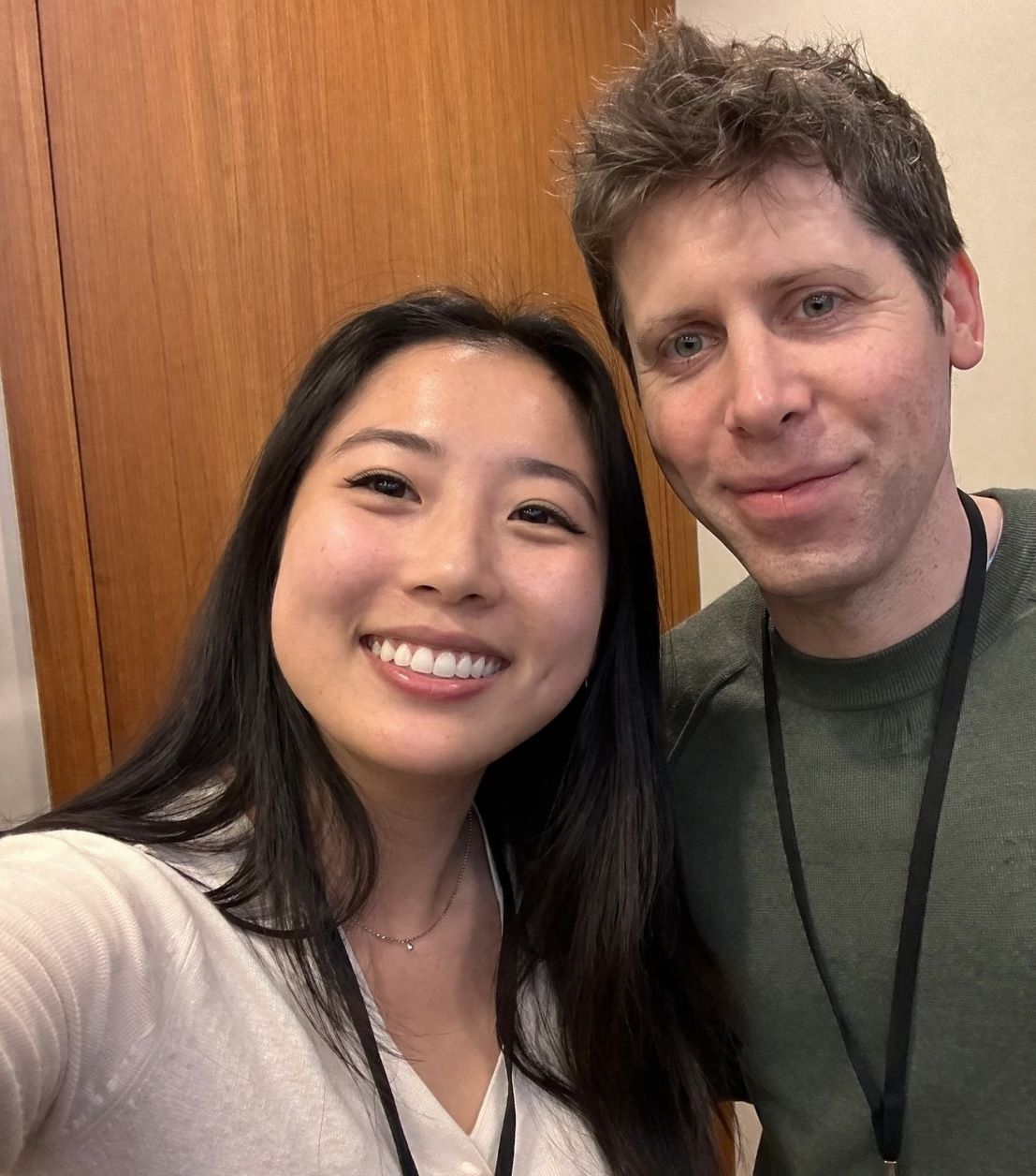
Someone typed “young woman taking selfie with Sam Altman” into an AI image model today and got back a photo-realistic result with Sam Altman’s actual face. No reference image. No uploaded photo. Just a text prompt.
That’s the moment people are sharing on X right now, and it’s the clearest signal yet that OpenAI’s GPT Image 2 is a different kind of model. Not just prettier outputs. Actual world knowledge baked into image generation.
Three codenames, one big leak
Justine Moore (@venturetwins), a partner at a16z, posted the first concrete details today. Three new image models have shown up in the Chatbot Arena, and they’re named maskingtape, packingtape, and gaffertape.
The naming pattern is classic OpenAI internal codename style. Three variants in the arena at once suggests they’re running a head-to-head quality evaluation across different versions of the same underlying model before deciding which one ships as the default.
Moore specifically called out two things that impressed her most:
- The amount of “world knowledge” the models carry, meaning they know what real people, real interfaces, and real environments look like
- Text rendering quality, which has historically been the hardest problem for AI image models
What world knowledge actually means here
Previous image models were trained on patterns. They knew what “a man in a suit” looks like in aggregate. GPT Image 2 appears to know specific people. When you type “Sam Altman,” it draws on enough visual data to render a recognizable likeness without any reference photo.
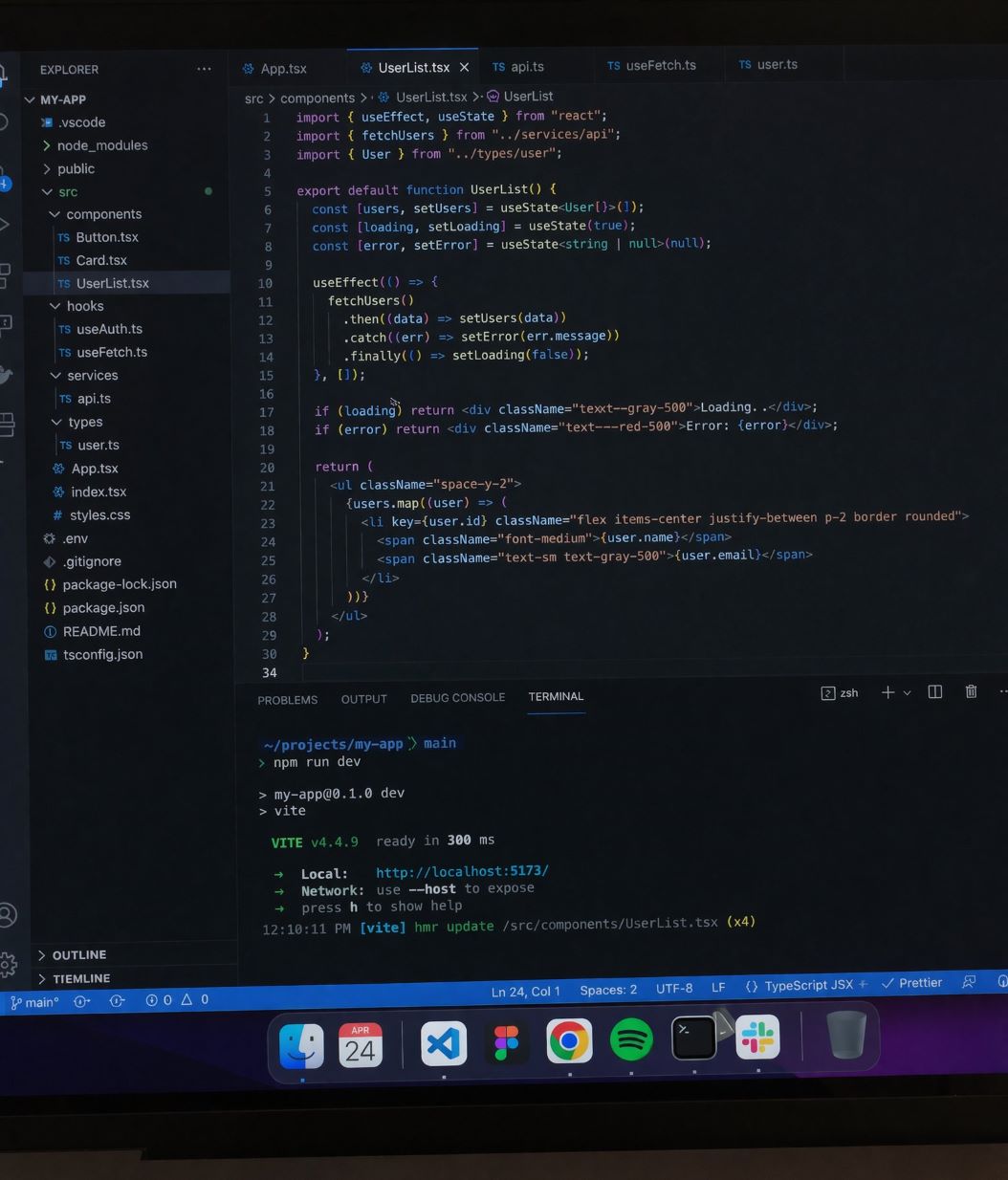
The engineer’s screen prompt is equally telling. The output seen in Moore’s tweet shows a realistic VS Code window with actual TypeScript code, a proper file tree, a Vite dev server running in the terminal, and even a macOS dock with recognizable app icons. That’s not pattern matching on “a code editor.” That’s a model that understands what a real developer’s workspace looks like in 2026.
The comparison UI is running on web too
The same comparison interface is showing up on web too, not just mobile. I tested it myself today using this prompt: “A realistic screenshot of a Figma workspace open on a MacBook screen. A design file with a mobile app wireframe visible on the canvas. The Figma toolbar and left panel are visible. Soft desk lighting, shallow depth of field on the laptop screen.”
ChatGPT generated two completely different interpretations of the same prompt and asked me to vote. Image 1 came back as a detailed Figma finance app dashboard with real-looking UI components. Image 2 showed a darker scene with mobile wireframe screens on canvas. Same prompt, two genuinely different creative directions.
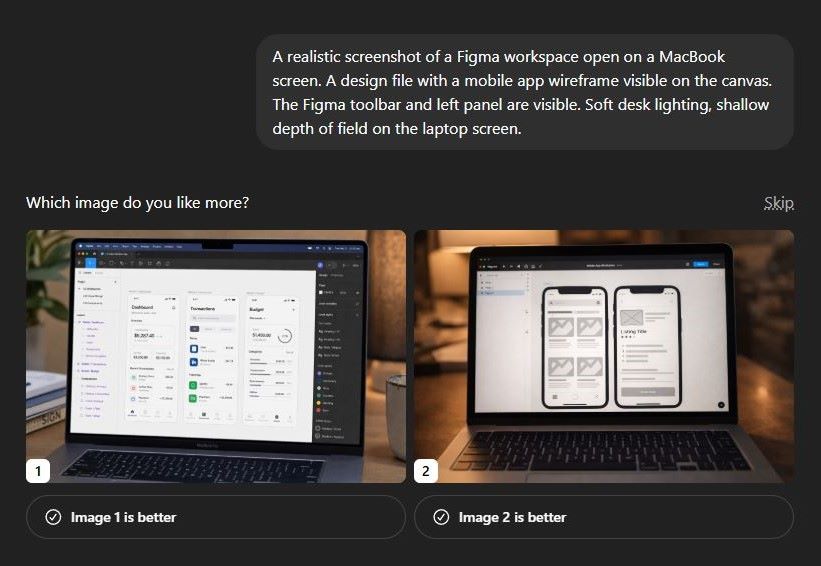

Output 1 — Figma finance dashboard with realistic UI components
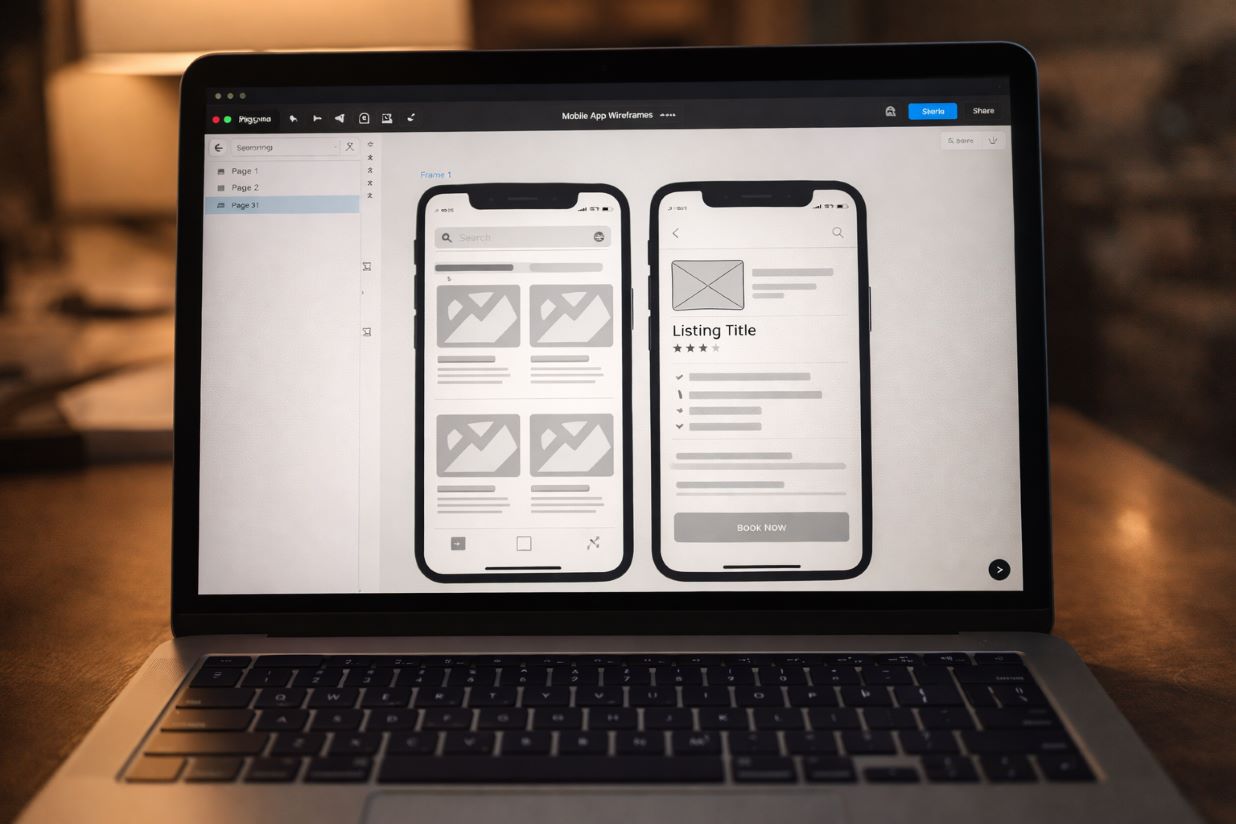
Output 2 — same prompt, darker wireframe interpretation
These two things are connected, and the web version confirms it’s not just a mobile experiment. The arena tests the three codename models against each other externally. The voting UI collects preference data inside ChatGPT directly. OpenAI is running both pipelines at once to gather as much signal as possible before a full public rollout.
Prompt examples to test right now
If you have access to GPT Image 2 through ChatGPT or the arena, these prompts are designed to test exactly the world knowledge and text rendering capabilities that Moore highlighted.
World knowledge: real person
A candid selfie photo of a young woman smiling next to Sam Altman, taken indoors at what looks like a tech conference, both wearing lanyards. Natural lighting. Photorealistic.
World knowledge: real interface
A realistic screenshot of a Figma workspace open on a MacBook screen. A design file with a mobile app wireframe visible on the canvas. The Figma toolbar and left panel are visible. Soft desk lighting, shallow depth of field on the laptop screen.
Text rendering test
A street photograph of a shop front in Tokyo. The sign above the door reads “OPEN 24 HOURS” in bold red letters on a white background. Neon signs in Japanese visible in the background. Rainy night, reflections on the wet pavement. Photorealistic.
World knowledge: real place
A photorealistic photo of the view from the top of the Burj Khalifa looking down at Dubai at golden hour. City grid visible below, haze in the distance, sun low on the horizon. No people in frame.
Average engineer’s screen
A realistic screenshot of an average software engineer’s screen. VS Code open with a TypeScript React component. A file explorer on the left. A terminal at the bottom running a Vite dev server. macOS dock visible at the bottom. No fictional apps.
Brand UI accuracy test
A realistic photo of a MacBook Pro on a wooden desk, screen showing a Notion workspace with a project tracker open. Dark mode. Multiple columns visible with tags and dates. Warm lamp light from the left. Shallow depth of field. No people.
How to get access today
The arena is open to anyone. Go to lmarena.ai, navigate to the image section, and you may be matched against one of the three codename models without knowing which one. That’s the point of blind arena testing.
Inside ChatGPT, access to the new model is still limited. Paid users on Plus and Pro are getting it first. If you see the “Which image do you like more?” prompt after generating an image, you’re in the test group. Vote honestly because those preferences are shaping the final model.
The codenames will disappear. Maskingtape, packingtape, gaffertape will become GPT Image 2, and most people will never know the testing happened. But right now, for a brief window, you can interact with the model before OpenAI decides which version wins. That’s rare, and worth using.