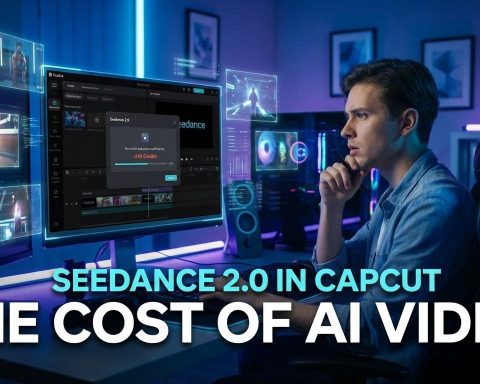

You’ve seen the video. The one where “Tom Cruise” and “Brad Pitt” are brawling on a rooftop with frighteningly realistic physics. You’ve heard the panic from Hollywood studios sending cease-and-desist letters to ByteDance. And now, you want to get your hands on the tool responsible for the chaos: Seedance 2.0.
Here is the reality: Seedance 2.0 is currently the most advanced AI video generator on the planet. It makes OpenAI’s Sora look like a college project. But because of the massive legal backlash regarding copyright and deepfakes, ByteDance has locked it behind a geo-fenced wall in China, and they are rapidly patching “free” access points.
Most people think you can’t use it outside of a closed beta. They’re wrong. If you know which app to download and which buttons to click, you can start generating Hollywood-grade clips today without paying a dime. Here is exactly how to access Seedance 2.0 before the gates close for good.
Why Everyone is Freaking Out About Seedance 2.0
Before we get into the “how,” let’s briefly talk about the “why.” If you’ve used Runway Gen-3 or Kling, you know they are good. But Seedance 2.0 is different. It’s built by ByteDance (the owners of TikTok), which means it has been trained on an unfathomable amount of video data.
The result? Consistency.
Most AI video tools struggle to keep a character’s face looking the same for more than three seconds. Seedance 2.0 nails it. It handles complex physics, cloth simulation, and—most terrifyingly—native audio generation that lip-syncs perfectly. It is so good that Disney and the Motion Picture Association are actively trying to get it regulated or shut down. That is the highest stamp of quality you can get in this industry.
My take? The controversy is free marketing. The reason you want this tool is precisely because it’s too powerful for the public. But fair warning: use this responsibly. The “deepfake” potential here is off the charts, and nobody wants to be the reason we get harsh AI laws passed.
Method 1: The “Little Skylark” Loophole (Best Free Option)
This is the method nobody is talking about yet in the West. While the main flagship apps are locking down subscriptions, ByteDance has a smaller, lightweight app called Xiao Yunque (translated: “Little Skylark”).
This app is currently in a “user growth” phase. That means they are practically giving away credits to get people hooked. Here is how to exploit that.
Step 1: Download the App
You won’t find this on the standard US App Store under “Seedance.” You need to search for the Chinese name or sideload it if you are on Android.
- iOS Users: You may need a Chinese Apple ID to access the CN App Store. Search for “小云雀”.
- Android Users: Search for the “Xiao Yunque APK” on reputable repositories.
Step 2: Login and Claim Credits
Once you are in, you usually need a Douyin (Chinese TikTok) account or a mobile number to log in. This is the hardest hurdle.
Pro Tip: If you don’t have a Chinese number, look for online SMS verification services that handle Chinese (+86) numbers. They cost pennies and work for the initial OTP code.
Step 3: Navigate to Seedance 2.0
The interface is in Chinese (more on that later), but the icons are universal.
1. Look for the Video Generation tab (usually a clapperboard icon).
2. Tap the model dropdown menu.
3. Crucial Step: Make sure you select “Seedance 2.0” (sometimes labeled as V2.0). The default is often V1.0.
Right now, new users get 3 completely free generations immediately, plus 120 daily points. Since a 5-second video costs roughly 40-50 points, you can generate 2-3 clips every single day for free. That is a steal compared to Runway’s $15/month subscription.
Method 2: The Jimeng / Dreamina Trial (Professional Route)
If “Little Skylark” is the scrappy free version, Jimeng (branded as Dreamina internationally) is the pro studio. This is where the highest quality renders happen, including 2K resolution upscaling.
Currently, the international version of Dreamina does not have full access to the unbridled Seedance 2.0 model due to those legal threats I mentioned. They have nerfed it for the global market. To get the raw power, you need the Chinese version of Jimeng.
The 1 RMB Trick
ByteDance is aggressive with pricing in China. They offer a 7-day trial for 1 RMB (that is about $0.14 USD).
1. Go to jimeng.jianying.com.
2. Use the translation feature in your browser.
3. Sign up using the same Douyin method as above.
4. Pay the 1 RMB using Alipay (which accepts international Visa/Mastercards).
Once you are in, you have a week of near-unlimited generation. If you are planning a specific project, batch all your work into this one week.
Essential Setup: Translating the Interface
Let’s be real: unless you read Simplified Chinese, navigating these apps is a nightmare of muscle memory and guessing. You are going to click the wrong button at least once.
Here is my workflow to make this painless:
- On Desktop (Jimeng): Use Chrome or Edge and right-click “Translate to English.” The translation is surprisingly good. “Seedance” might translate to “Dream Dance” or “Cloud Sparrow,” but you’ll get the context.
- On Mobile (Xiao Yunque): This is trickier since you can’t translate inside the app.
- Option A: Take a screenshot and use Google Lens to translate.
- Option B (My favorite): Keep a second phone with the Google Translate app open in “Camera Mode” and hover it over your main phone. It sounds low-tech, but it’s the fastest way to learn the UI.
A note on VPNs: Surprisingly, I haven’t needed a VPN to access the websites, but generation speeds are throttled if you are connecting from a US IP address. If your generation bar is stuck at 99%, turn on a VPN and set your location to Singapore or Hong Kong. It usually unblocks the pipe instantly.
Frequently Asked Questions
Is Seedance 2.0 completely free?
Not officially. It is a paid tool, but the “Xiao Yunque” app allows for daily free credits (about 15 seconds of video per day) without a credit card. The Jimeng platform requires a subscription, but the 1 RMB trial is effectively free.
Why can’t I find Seedance 2.0 on the App Store?
Because it’s currently geo-locked to China due to copyright controversies. You won’t find it on the US Google Play Store or Apple App Store under that name. You must use the Chinese versions (APK or region-switched App Store).
Can I use the videos for commercial work?
Absolutely not. Aside from the shaky copyright status of the generated content, the terms of service for the Chinese beta strictly forbid commercial use without an enterprise license. Use this for personal projects or storyboarding only.
Is it safe to install these APKs?
Sideloading APKs always carries risk. Stick to trusted repositories or, better yet, use the web-based version of Jimeng on a desktop to avoid installing anything on your phone.
Accessing Seedance 2.0 right now feels a bit like the early days of the internet—a little wild, a little unregulated, and incredibly exciting. The gap between what this tool can do and what is publicly available in the West is growing every day. My advice? Get in, experiment, and learn the prompting syntax now. By the time a “clean” version launches globally, you’ll already be a master director.