
Google’s Gemma 4 fits in 5GB of RAM. The largest variant tops out at 20GB at 4-bit. That means most people reading this can run a genuinely capable open model on hardware they already own, right now.
Unsloth updated their full stack for Gemma 4 on April 8, 2026, adding llama.cpp fixes and full support inside their no-code Studio UI. There are two ways to get this running: a browser-based interface that handles everything for you, or a manual llama.cpp setup for people who want full control. This guide covers both.
Pick the right variant before you download anything
Gemma 4 ships in four models. Downloading the wrong one wastes time, so sort this out first.
- E2B: needs 4GB RAM at 4-bit. Built for phones and edge devices. Supports text, image, and audio. Good for ASR and speech translation.
- E4B: needs 5.5–6GB RAM at 4-bit. Better quality than E2B, still runs on most laptops. Also supports text, image, and audio.
- 26B-A4B: needs 16–18GB RAM at 4-bit. A Mixture of Experts model with only 4B active parameters per pass. Fast, capable, and the best speed-to-quality tradeoff for desktop use.
- 31B: needs 17–20GB RAM at 4-bit. The strongest Gemma 4 model. Slightly slower than 26B-A4B but scores higher on every benchmark.
If you have an RTX 3090, 4090, or a Mac with 24GB+ unified memory, start with 26B-A4B. On a laptop with 8–16GB RAM, E4B hits the sweet spot. The 31B earns its extra memory only if you need maximum output quality and can accept slower generation.
All four variants are Apache 2.0 licensed, meaning commercial use is permitted without restrictions. The full Unsloth Gemma 4 GGUF collection is on Hugging Face.
Method 1: Unsloth Studio (no terminal experience needed)
Unsloth Studio is a local web UI that wraps llama.cpp with a chat interface, auto-sets inference parameters, and handles model downloads. It runs on macOS, Windows, and Linux. If you’ve never run a local model before, start here.
Step 1: Install Unsloth.
On macOS, Linux, or WSL, run:
curl -fsSL https://unsloth.ai/install.sh | shOn Windows PowerShell:
irm https://unsloth.ai/install.ps1 | iexStep 2: Launch the Studio.
unsloth studio -H 0.0.0.0 -p 8888Open http://localhost:8888 in your browser. On first launch, you’ll create a password and see a short onboarding wizard. You can skip the wizard at any time.
Step 3: Download Gemma 4.
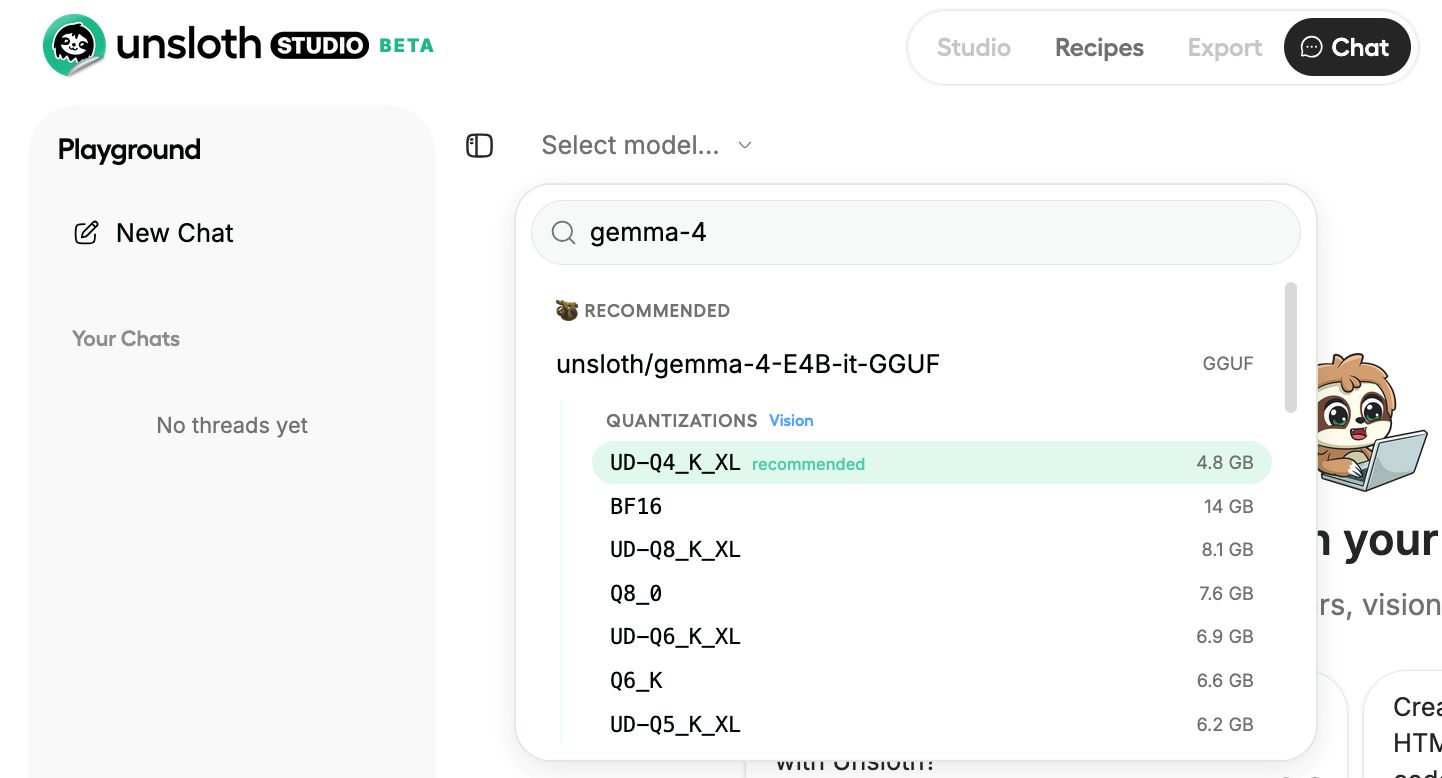
Go to the Studio Chat tab and search “Gemma 4.” Pick your variant and your quantization: use 8-bit for E2B/E4B and Dynamic 4-bit (UD-Q4_K_XL) for 26B-A4B and 31B. Hit download and wait.
Step 4: Run it.
Inference parameters are auto-configured when using Unsloth Studio. You can still change the context length, chat template, and individual settings manually. The full settings reference is in the Unsloth Studio inference guide.
Method 2: llama.cpp (manual, more control)
This path is better for Linux servers, CPU-only machines, or anyone who wants to script their own setup. Apple Silicon users should follow this too, just swap the CUDA flag.
First, build llama.cpp. Change -DGGML_CUDA=ON to -DGGML_CUDA=OFF if you don’t have an NVIDIA GPU. Metal support for Apple devices is on by default, so Mac users can just set CUDA to OFF and continue normally.
apt-get update
apt-get install pciutils build-essential cmake curl libcurl4-openssl-dev -y
git clone https://github.com/ggml-org/llama.cpp
cmake llama.cpp -B llama.cpp/build \
    -DBUILD_SHARED_LIBS=OFF -DGGML_CUDA=ON
cmake --build llama.cpp/build --config Release -j --clean-first \
    --target llama-cli llama-mtmd-cli llama-server llama-gguf-split
cp llama.cpp/build/bin/llama-* llama.cpp
Now run the model directly. Here’s the command for 26B-A4B:
export LLAMA_CACHE="unsloth/gemma-4-26B-A4B-it-GGUF"
./llama.cpp/llama-cli \
    -hf unsloth/gemma-4-26B-A4B-it-GGUF:UD-Q4_K_XL \
    --temp 1.0 \
    --top-p 0.95 \
    --top-k 64
For E4B on a laptop:
export LLAMA_CACHE="unsloth/gemma-4-E4B-it-GGUF"
./llama.cpp/llama-cli \
    -hf unsloth/gemma-4-E4B-it-GGUF:Q8_0 \
    --temp 1.0 \
    --top-p 0.95 \
    --top-k 64
If you’d rather download the model file first before running, install the Hugging Face CLI and pull it manually:
pip install huggingface_hub hf_transfer
hf download unsloth/gemma-4-26B-A4B-it-GGUF \
    --local-dir unsloth/gemma-4-26B-A4B-it-GGUF \
    --include "*mmproj-BF16*" \
    --include "*UD-Q4_K_XL*"
If downloads stall, check the Unsloth Hugging Face Hub debugging guide.
Mac users have a separate MLX option as well. Unsloth published dynamic 4-bit and 8-bit MLX quants for all four variants. You can try them with three commands:
curl -fsSL https://raw.githubusercontent.com/unslothai/unsloth/refs/heads/main/install_gemma4_mlx.sh | sh
source ~/.unsloth/unsloth_gemma4_mlx/bin/activate
python -m mlx_lm chat --model unsloth/gemma-4-E4B-it-UD-MLX-4bit --max-tokens 4096
Inference settings that actually matter
Google published recommended defaults for Gemma 4, and they’re worth sticking to:
- Temperature: 1.0
- Top-p: 0.95
- Top-k: 64
- Repetition penalty: leave at 1.0 (disabled) unless the model starts looping output
For context window, start at 32K. Only go higher if you’re feeding long documents. The 26B-A4B and 31B models support up to 256K context, but that eats RAM quickly and slows generation noticeably.
One firm warning from the Unsloth team: do not use CUDA 13.2 runtime when running any Gemma 4 GGUF. It causes degraded outputs. This is a known issue as of the April 8 update.
How to enable thinking mode
Gemma 4 has an optional reasoning channel that shows the model’s internal thought process before the final answer. It’s off by default and easy to turn on.
Add <|think|> at the very start of your system prompt:
<|think|>
You are a careful coding assistant. Explain your answer clearly.
With thinking enabled, the model outputs a thought block first, then the final answer:
<|channel>thought
[internal reasoning]
<channel|>
[final answer]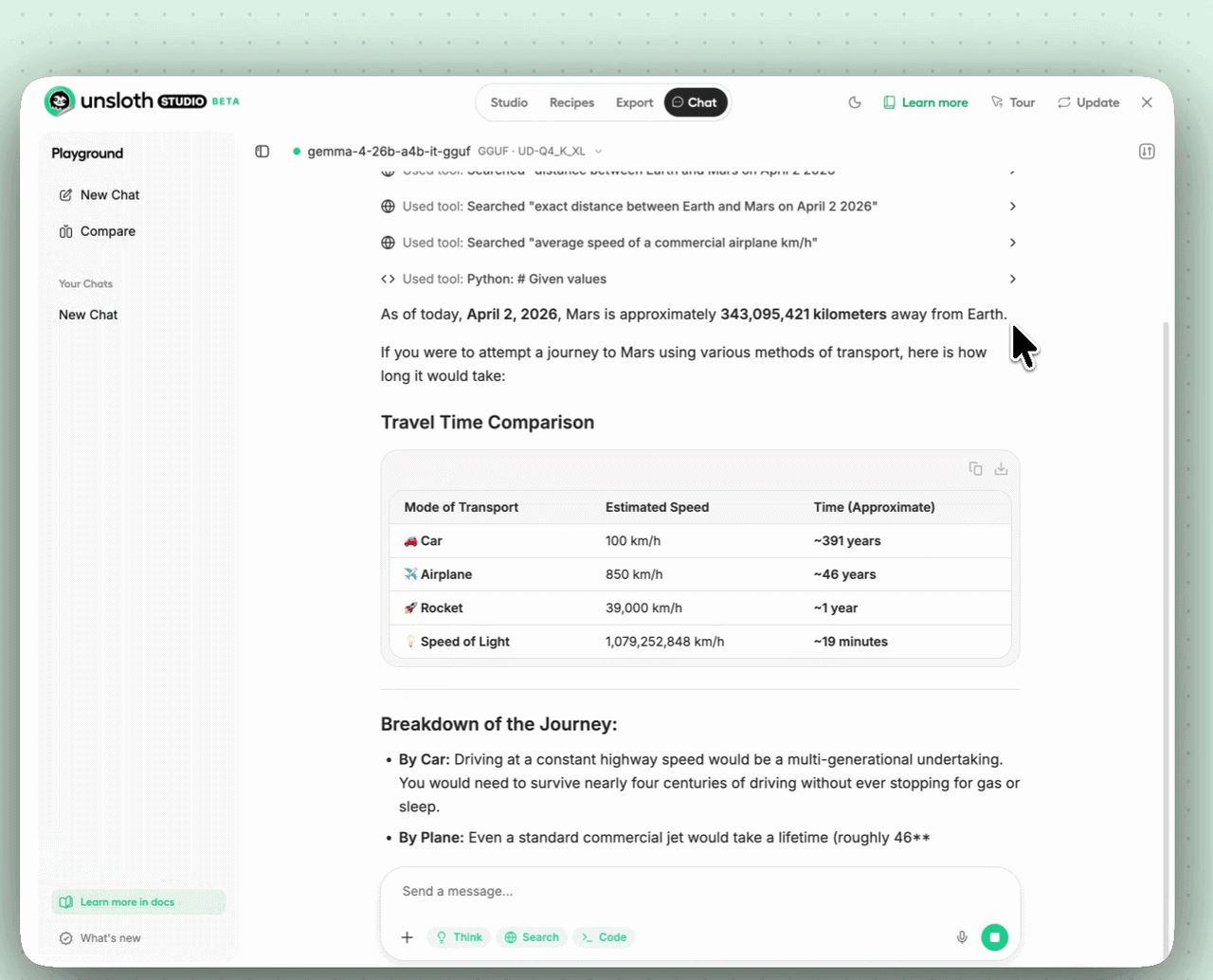
If you’re running llama-server and want to toggle thinking via a flag instead of editing the system prompt, use:
./llama.cpp/llama-server \
    --model unsloth/gemma-4-26B-A4B-it-GGUF/gemma-4-26B-A4B-it-UD-Q4_K_XL.gguf \
    --temp 1.0 --top-p 0.95 --top-k 64 \
    --port 8001 \
    --chat-template-kwargs '{"enable_thinking":true}'
On Windows PowerShell, escape the inner quotes: --chat-template-kwargs "{\"enable_thinking\":false}"
One rule for multi-turn chats: never feed prior thought blocks back into the next turn. Only keep the final visible answer in the chat history. Passing thought blocks back inflates context and produces worse results. This is not optional, it’s how the model expects to be used.
The fastest way to test all of this before setting up locally is the free Colab notebook Unsloth published. Open it here, run the cells, and you’ll have Gemma 4 responding in your browser within minutes, no GPU required on your end. Once you know which variant you want, then do the local install.